Donor guide
Discover projects, fund them, then watch them grow.
Donors use opub to fund open source projects with donated compute. A donation adds dollar balance to the project, and maintainers can spend that balance on model tokens through compute keys with dollar limits.
Why donate compute? The projects you love get access to the most powerful models to complete work, fix bugs, and stay organized.
Fund a project
Browse registered projects, open the project page, and choose a donation amount. The checkout is dollar-denominated — dollars are the balance unit throughout opub.
If a project you love is not listed, consider reaching out to the maintainer and asking them to register.
Read the project page
The public project page is the funding source of truth. It shows current balance, recent donations, and token spend recorded for the project.
Linked spend
All token spend against a compute key records against the project and is visible on the project page.
Maintainers who run sessions through the opub CLI can also link those sessions to the project. A linked session marks each spend event with a Linked badge:

The project balance card shows overall linked spend coverage at a glance:
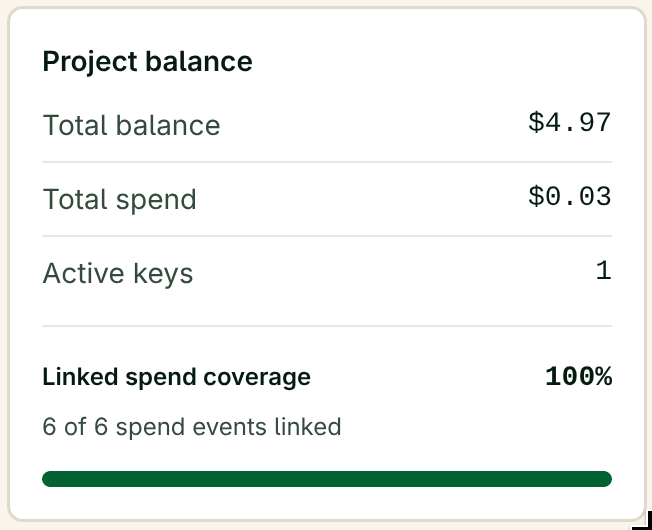
That is the public signal opub records. No prompts, no responses, no file content. The local session context stays limited to the maintainer's machine, the launched agent, and secretless opub MCP tools.
Linking is optional. A compute key works without the CLI, and spend still accrues to the project either way. Projects with linked sessions show stronger spend attribution for donors; projects without them show spend without the Linked signal.
Was this helpful?
Send feedback